Give your dealers and technicians a direct path from equipment diagram to the right part. Envalo’s Interactive Schematics connects clickable diagrams with ERP pricing, availability, and ordering inside your existing website or dealer portal.
See the workflow in a short live demo. Choose to use your own parts diagrams during the session, or explore an example first. Bringing a diagram is optional.

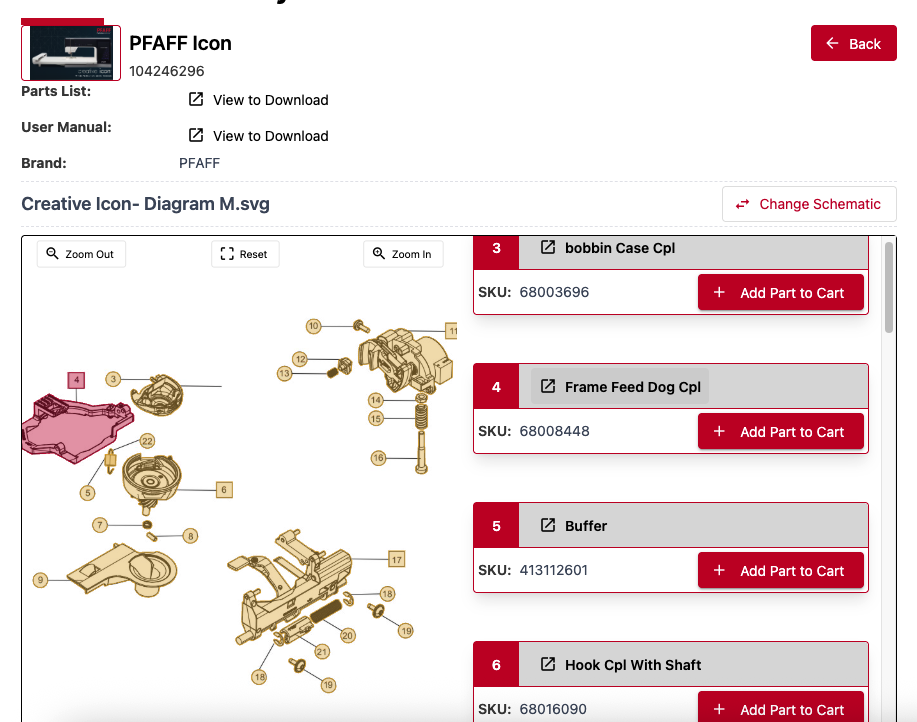
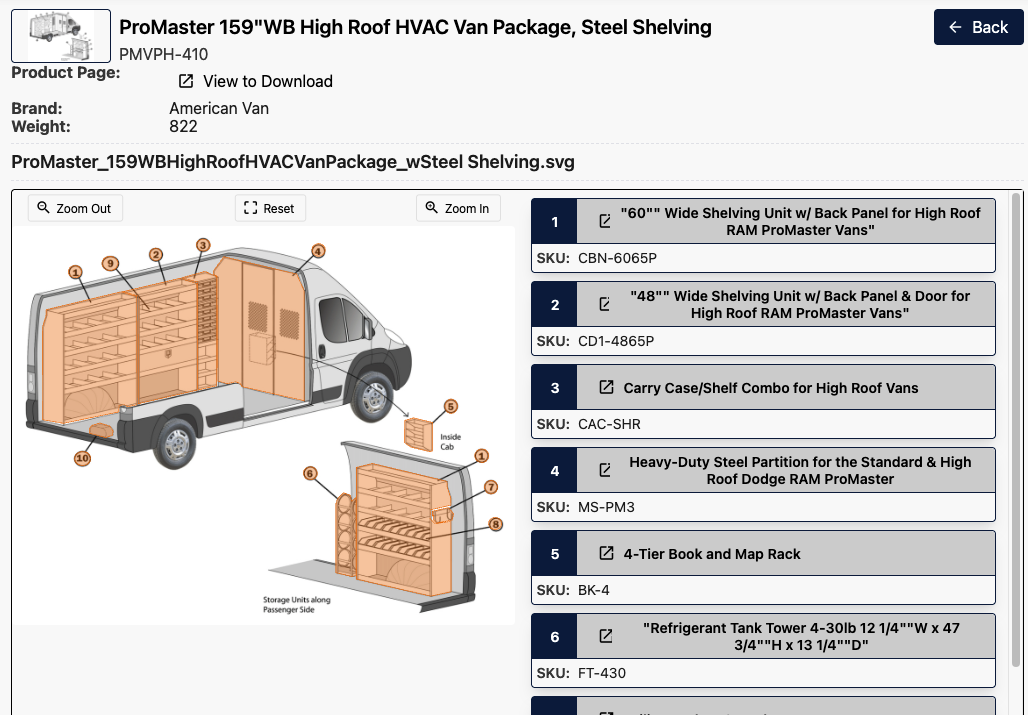
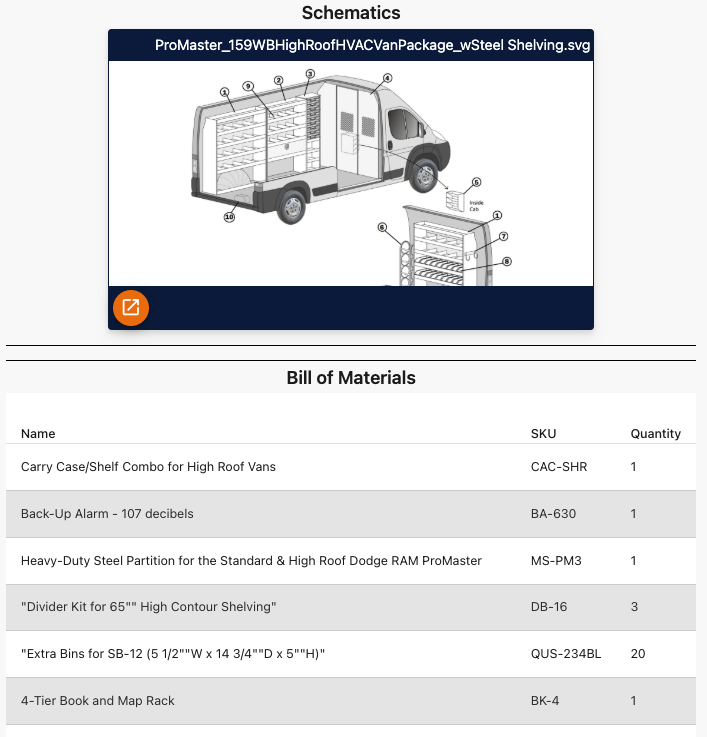
When a dealer or technician needs a replacement component, give them a visual starting point. Interactive Schematics connects the equipment diagram to part details, ERP pricing, and availability, helping them move from identification to ordering.
Your aftermarket team gains a self-service channel for parts inquiries. Your service team can use the same diagrams at the counter, on the shop floor, or in the field.
.png?width=614&height=397&name=Frame%202121454413%20(4).png)
Give your dealers and technicians a way to answer the daily questions: Which component is this? What is the part number? Is it available? How do I order it?
Explore the workflow using an example or your own diagram during a short live demo.
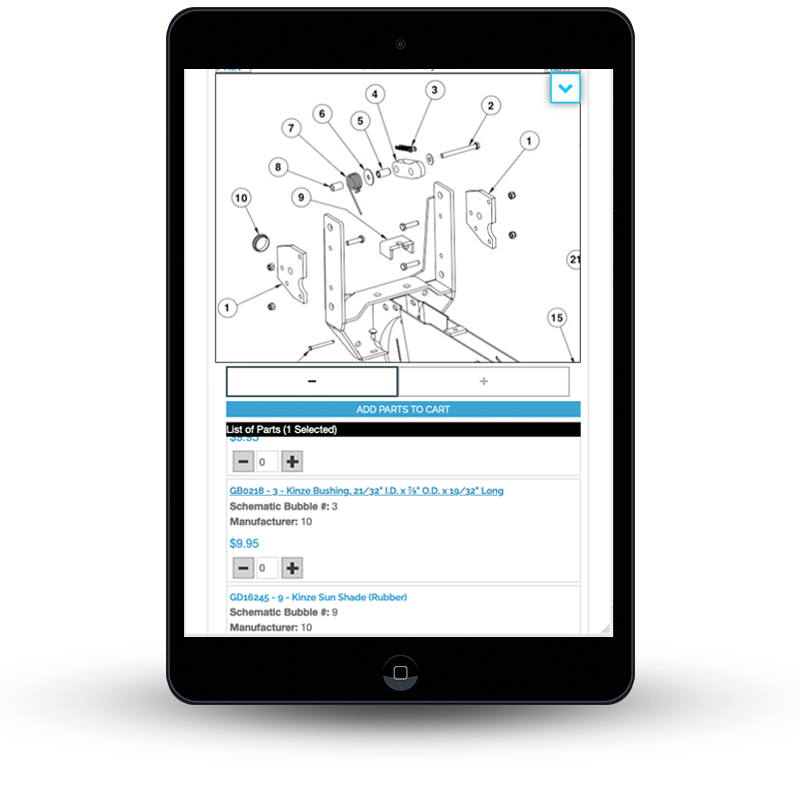
Your dealer or technician starts with an equipment diagram and clicks the component they need. Visual identification gives them a way to locate a part before looking up its number.
Use your existing PDF or printed schematic as the starting point. We’ll review your diagram format and parts data to determine the setup needed.
.png?width=604&height=387&name=Frame%202121454413%20(1).png)
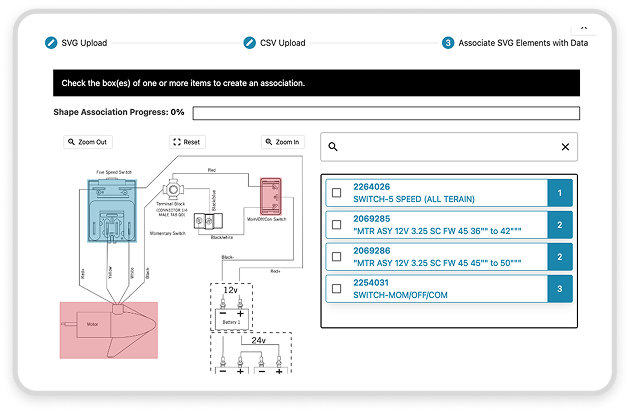
Connect the diagram to your parts list so the selected component leads to its part number and description. With an ERP connection, pricing and availability come from the systems you already use.
Bring your parts list in XLS, CSV, or PDF format to discuss how your catalog information maps to the diagram.
Give the selected part a next step: open its product page, view inventory, or add it to a cart. Configure the action to match your dealer ordering process and connected commerce platform.
Your diagram becomes a practical route into the parts purchase, rather than a reference document alone.
.png?width=604&height=387&name=Frame%202121454413%20(2).png)
.png?width=630&height=413&name=Frame%202121454413%20(3).png)
Embed Interactive Schematics in your existing website or dealer portal. Customize colors, fonts, and branding so the parts experience belongs alongside your other dealer tools.
The tablet-first interface supports parts lookup at the dealer counter, on the shop floor, and in the field.
Begin by reviewing your diagrams, parts list, existing systems, and dealer ordering needs. Define an initial rollout around the equipment catalog and actions your users need.
Envalo’s stated implementation window is 8–12 weeks. Confirm the timing for your project after reviewing data readiness and integration scope.
Your next step is a short demo, not an implementation commitment. Bring a diagram if you choose, or explore an example first.
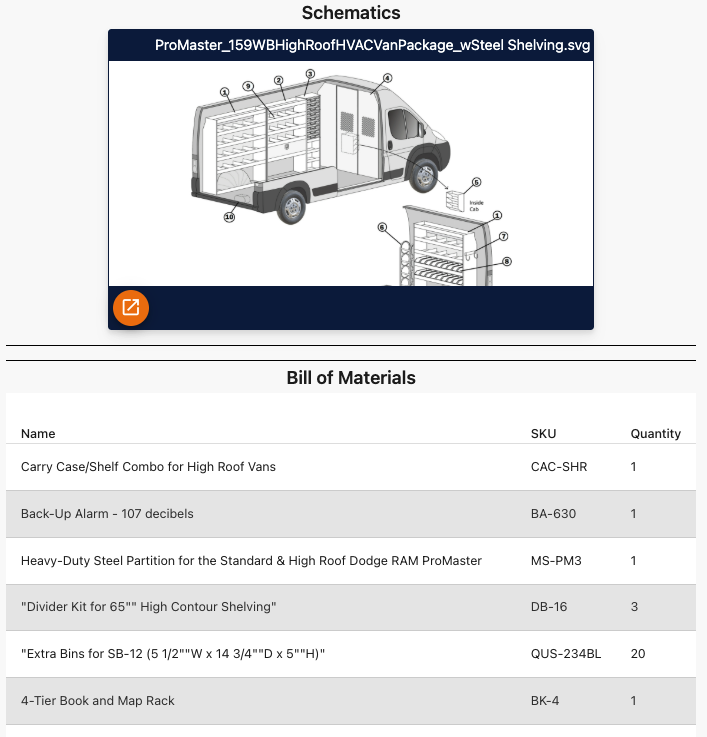
Explore a parts schematic in your short live demo. You can use an example or bring your own diagram.
